> For the complete documentation index, see [llms.txt](https://docs.wpsite.pro/wp/llms.txt). Markdown versions of documentation pages are available by appending `.md` to page URLs; this page is available as [Markdown](https://docs.wpsite.pro/wp/powercourse-jiao-xue-wen-jian/she-ding/pdf-jiang-yi-fu-shui-yin-she-ding.md).
# PDF 講義浮水印設定
設定浮水印這個功能可大幅降低你辛苦製作好課程講義的外流風險!
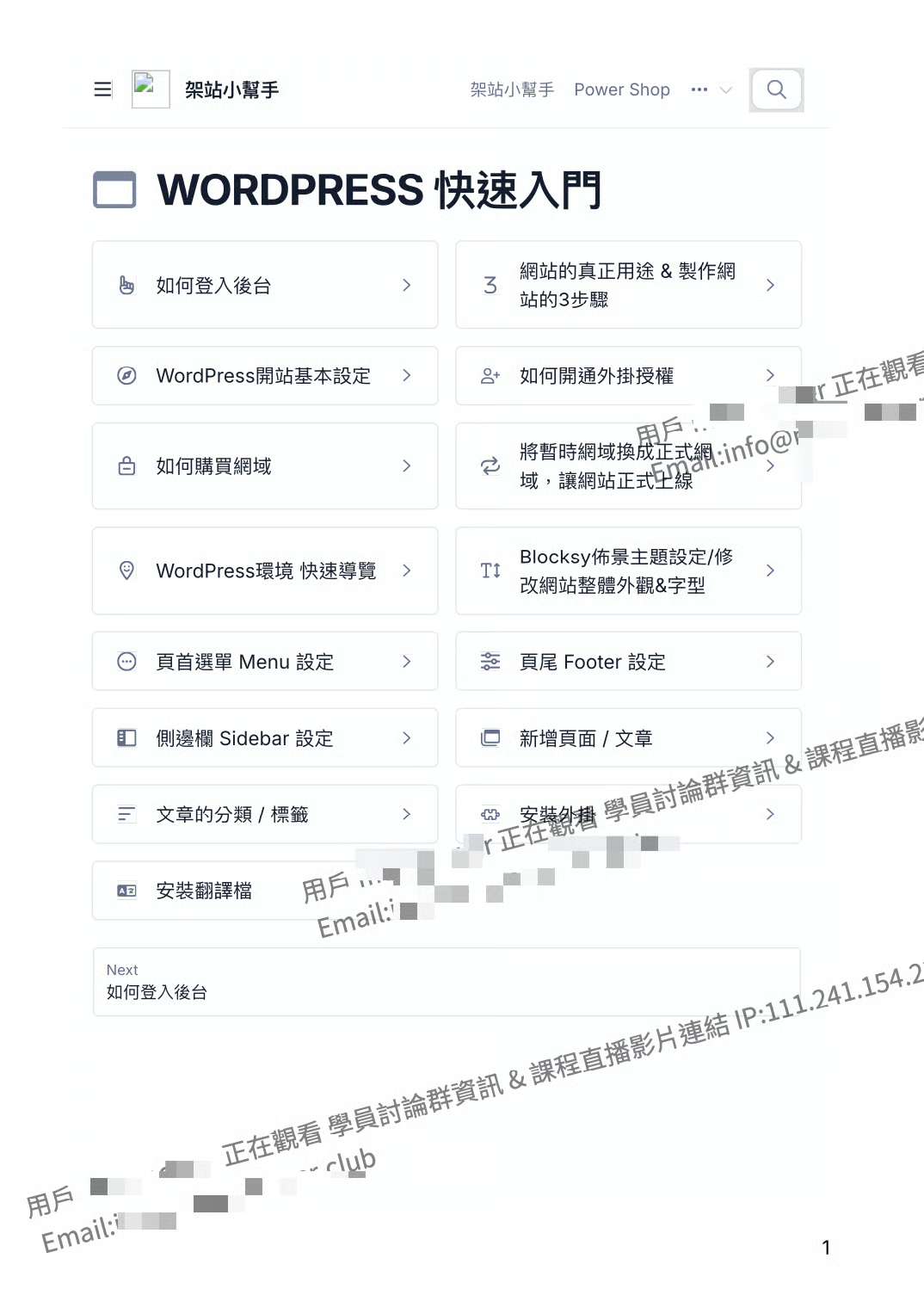
PowerCourse的 「 影片浮水印 」 功能預設會自動抓取用戶的Email與名稱
當學員下載章節中的PDF檔時
下載的檔案中會顯示該學員註冊的Email與名稱作為浮水印喔!
> 浮水印示意圖 ▼\ 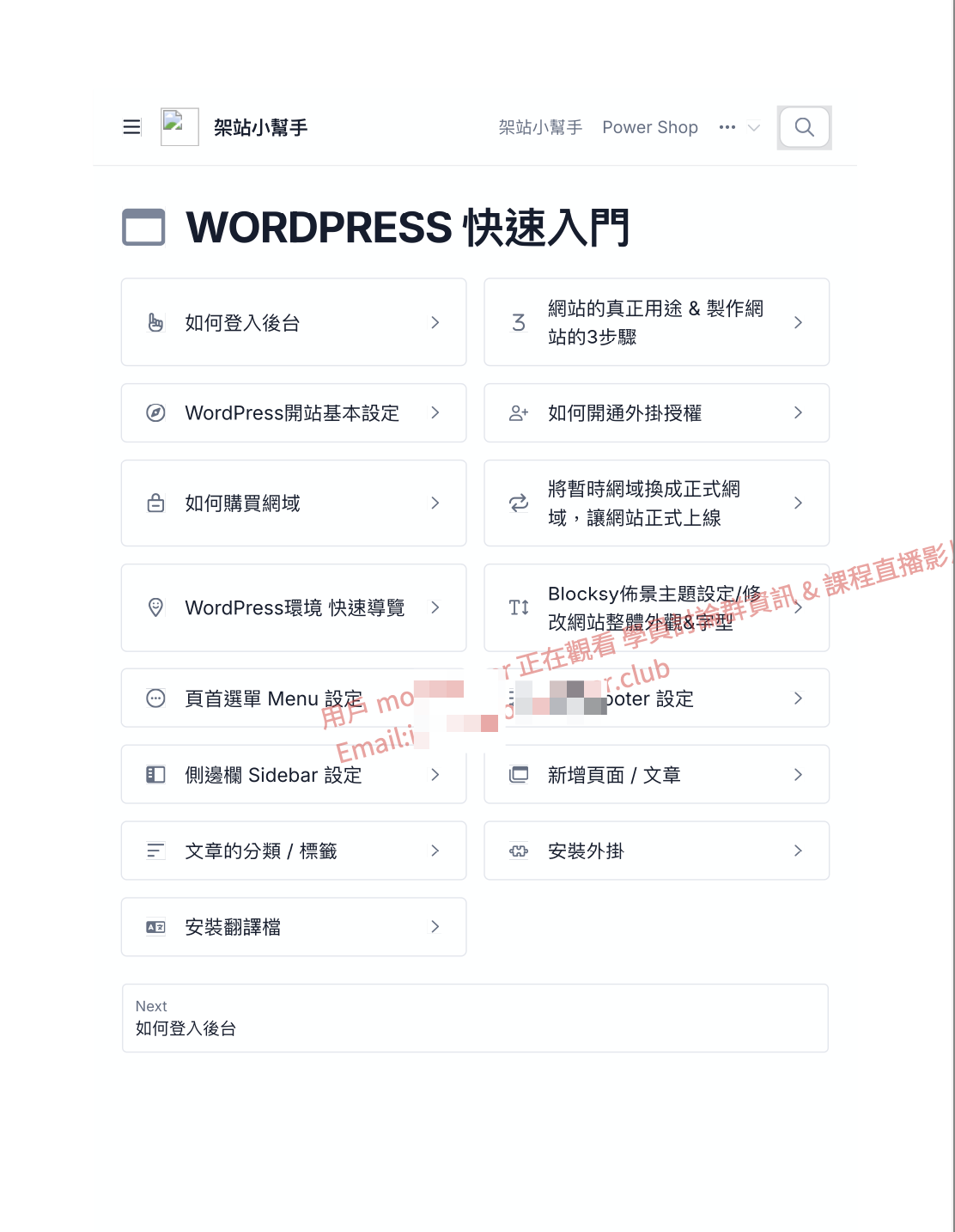 ##
## 怎麼建立PDF的動態浮水印?
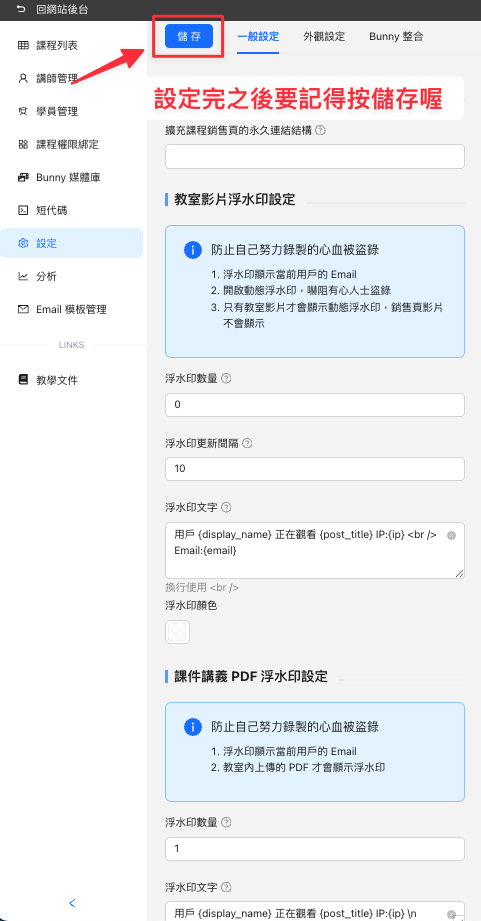
* 從 Power Course 的後台 「 設定 」 > 「 一般設定 」 裡調整
##
## 怎麼建立PDF的動態浮水印?
* 從 Power Course 的後台 「 設定 」 > 「 一般設定 」 裡調整
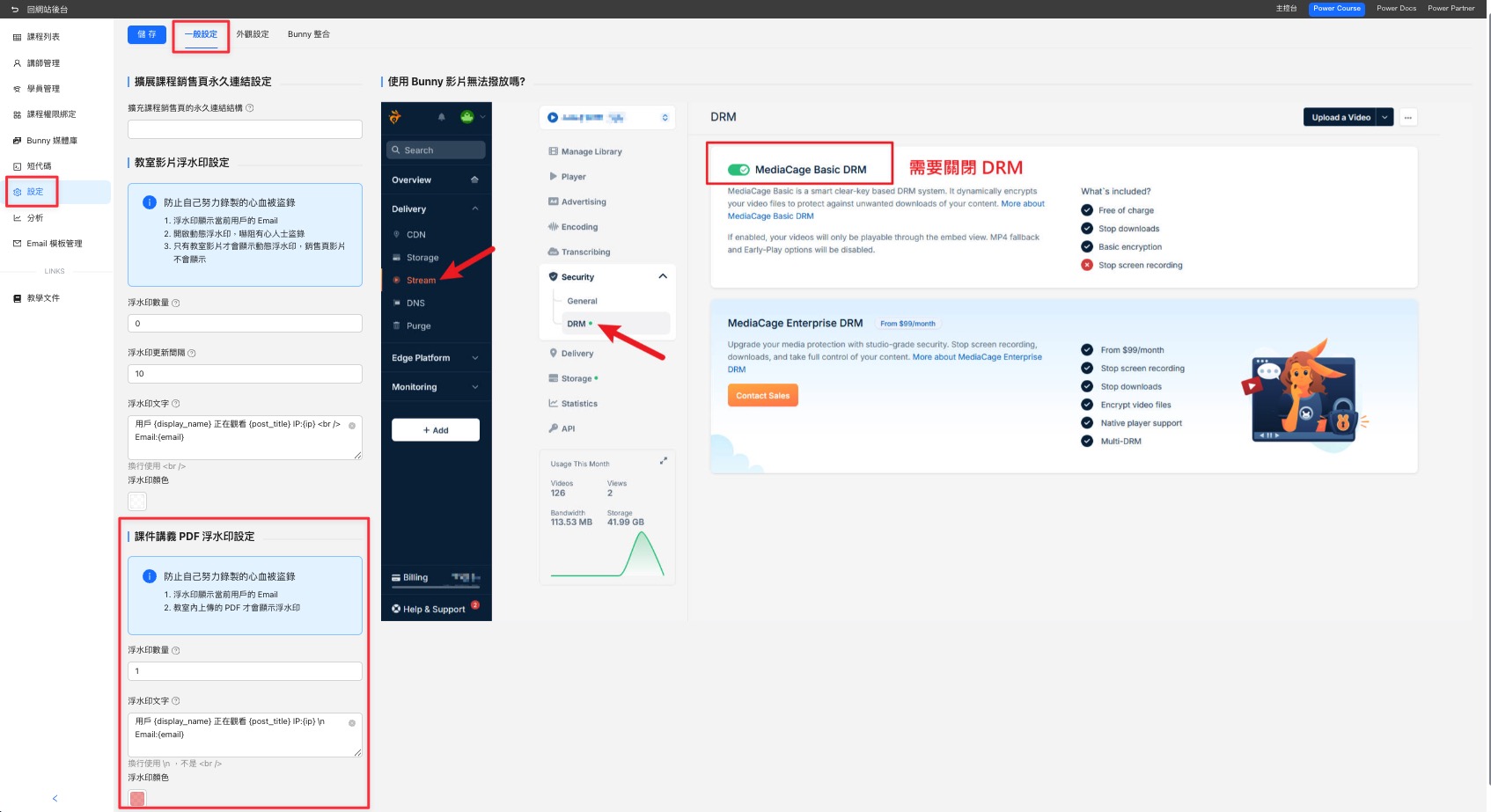 ## 浮水印設定方式
* **浮水印數量** - 設定文件中要顯示多少浮水印數量
浮水印數量會建議數值設定在3\~10內即可,太多的話會影響內文的閱讀性
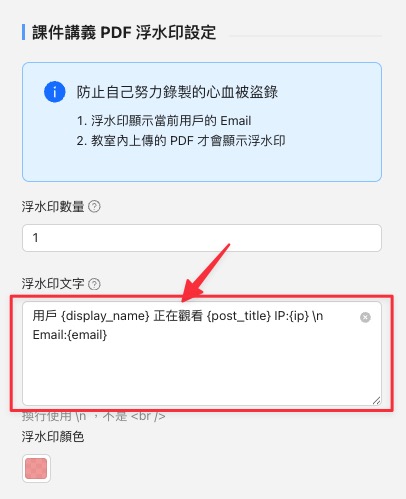
* **浮水印文字** - 這裡可以調整浮水印顯示的文字,預設會帶入用戶的名稱與Email代碼
{% hint style="info" %}
注意此處如要換行,換行代碼需使用 \n ,不是\
## 浮水印設定方式
* **浮水印數量** - 設定文件中要顯示多少浮水印數量
浮水印數量會建議數值設定在3\~10內即可,太多的話會影響內文的閱讀性
* **浮水印文字** - 這裡可以調整浮水印顯示的文字,預設會帶入用戶的名稱與Email代碼
{% hint style="info" %}
注意此處如要換行,換行代碼需使用 \n ,不是\
喔
{% endhint %}
* **浮水印顏色** - 設定浮水印顯示的顏色
預設會是透明,點開後可編輯想要顯示的 「 顏色 」 跟 「 透明度 」 喔
{% embed url="" %}
### 查看浮水印效果
* 設定完後,會套用到全部課程 「 章節 」 中的所有PDF檔案
* 設定完後,記得重整一下頁面 🔄\
系統會花一點時間寫入,如看到 「 此 PDF 還在處理中 」 字樣就是正在寫入中,等一陣子再回來重整頁面就能看到浮水印了
* 浮水印的位置是隨機的,每次下載浮水印出現的位置都會不一樣喔